Complete-world backup
Palworld save backup that includes the world, players, and restore proof.
A Palworld save backup is only useful when it preserves the complete matching world and can be restored. Copy the WorldID folder while the game or server is stopped, keep Level.sav with Players and metadata, record the platform and game version, and verify the copy before an update, editor change, repair, or migration. PC Game Pass users should preserve the full WGS container rather than guessing which opaque file matters.
Open a save to see its world summary
We will identify the files, version clues, completeness, and tasks available for this exact input.
Compatible PlZ Beta worlds can expose named players and Pals; unsupported formats receive diagnostic evidence.Quick answer
Palworld save backup: what to know first
- For Steam and dedicated servers, back up the complete matching WorldID folder, not only Level.sav.
- For PC Game Pass, copy the full `SystemAppData/wgs` directory because filenames and roles are opaque.
- Keep at least one copy off the active machine or host so a disk or panel failure cannot remove every recovery point.
- A backup is not verified until file counts, hashes, structure, and a restore test have been checked.
Choose the correct Palworld backup unit
A standard world folder may include Level.sav, LevelMeta.sav, WorldOption.sav, LocalData.sav, and Players/*.sav. Exact contents vary by platform and version, so the safest Steam or server backup unit is the complete WorldID folder. This keeps world state, player identities, guilds, ownership, and options from the same snapshot together.
PC Game Pass uses the WGS layout under the Palworld package. The nested names are not human-readable and can include multiple containers or cloud copies. Preserve the full WGS directory first; identification and conversion can happen against the copy.
| Platform | Copy this | Avoid this shortcut |
|---|---|---|
| Steam on Windows | `.../SaveGames/<SteamID>/<WorldID>/` | Level.sav only |
| PC Game Pass | Full `SystemAppData/wgs/` | One opaque container file |
| Dedicated server | `Pal/Saved/SaveGames/0/<WorldID>/` | Downloading while the server writes |
| Docker or managed host | The mounted WorldID volume | Assuming the host path without checking mounts |
Make a clean Palworld save backup
Exit Palworld or stop the dedicated server and wait for disk activity to settle. If the host panel has a save command, run it before shutdown. Copy the entire world or WGS folder to a dated location outside the active save tree. Use a name that records platform, WorldID, game version, and local time.
Do not rely on a copy stored only beside the active save. A sync client, disk failure, accidental cleanup, or compromised hosting account can remove both. Keep an off-device or off-host copy and retain more than one generation before major updates.
- 01
Stop writes
Close the game, stop the server, and confirm the host is no longer updating the world folder.
- 02
Copy the complete unit
Preserve the whole WorldID folder or the full Game Pass WGS directory.
- 03
Label the snapshot
Record date, platform, game version, WorldID, file count, and total bytes.
- 04
Move one copy off-host
Store a recovery generation outside the active disk, server, or control panel.
- 05
Create a local receipt
Hash and inspect the copy so future comparisons use stable evidence.
Use Palworld automatic backups without depending on them alone
Pocketpair's dedicated server configuration documents `bIsUseBackupSaveData` for enabling world backups and notes that it increases disk load. Automatic backups are useful because they create frequent local recovery points, but they live near the same server and can share the same disk, account, or retention failure.
Treat automatic backup rotation as the first layer. Add scheduled off-host copies, keep a known-good generation before patches, and record which folder the server actually restores. For a small private server, even a manual dated ZIP after major sessions is better than an untested single copy.
Verify the Palworld backup before you need it
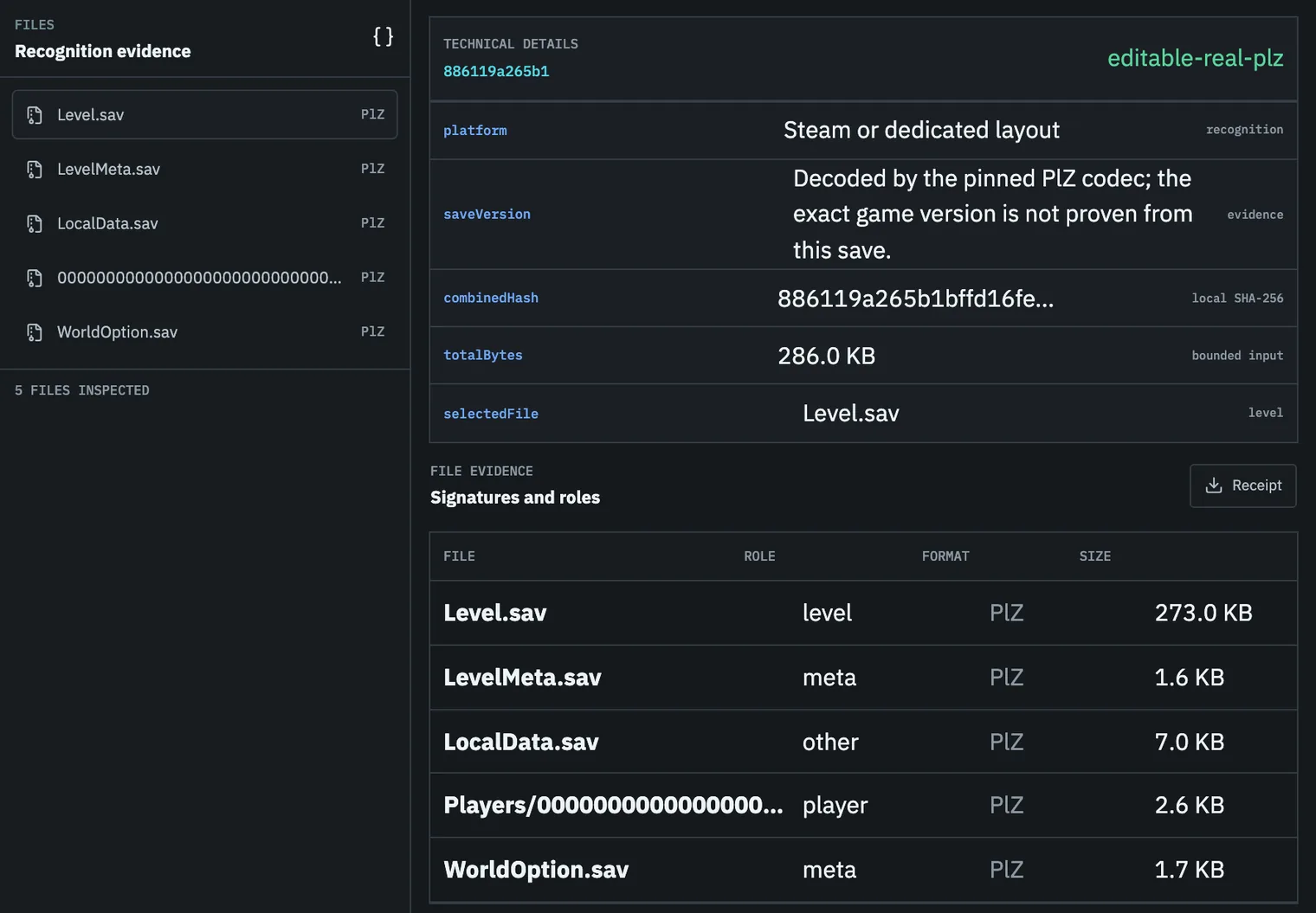
Check that the copy has the expected file count, non-zero total size, Level.sav or WGS containers, player-file candidates identified by path, and readable format signals. A local Recognition Receipt can store those facts and a redacted Worldprint without retaining the raw files in the browser.
For a high-value multiplayer world, restore a copy into a separate environment. Confirm the world loads, then check players, guilds, bases, Pals, inventory, technology, and map progress. Write down the actual restore steps and time so an emergency does not begin with rediscovering the folder layout.
Task checklist
- 01Stop writes before copying.
- 02Copy the complete world or WGS folder.
- 03Store at least one copy outside the active drive or host.
- 04Record date, game version, platform, and hash receipt.
- 05Test a restore before the next major update.
Questions people ask before touching the save
Is Level.sav enough for a backup?
No. Player files and metadata can be required to preserve identity, ownership, guilds, and world options.
Does Palworld have automatic server backups?
Official server configuration includes `bIsUseBackupSaveData` and backup retention settings. Review the current official documentation and still keep an off-server copy.
Can Palworld Save Editor store my backup online?
No. This static release does not upload or host raw saves. It can inspect a local backup set and keep only receipt metadata in your browser.